Markdown in.
Beautiful PDF out.
Vaelora turns your Markdown into perfectly paginated PDF — with a live preview that is the export, and CSS as the styling contract.
Free download · macOS 15 or later · Apple silicon & Intel
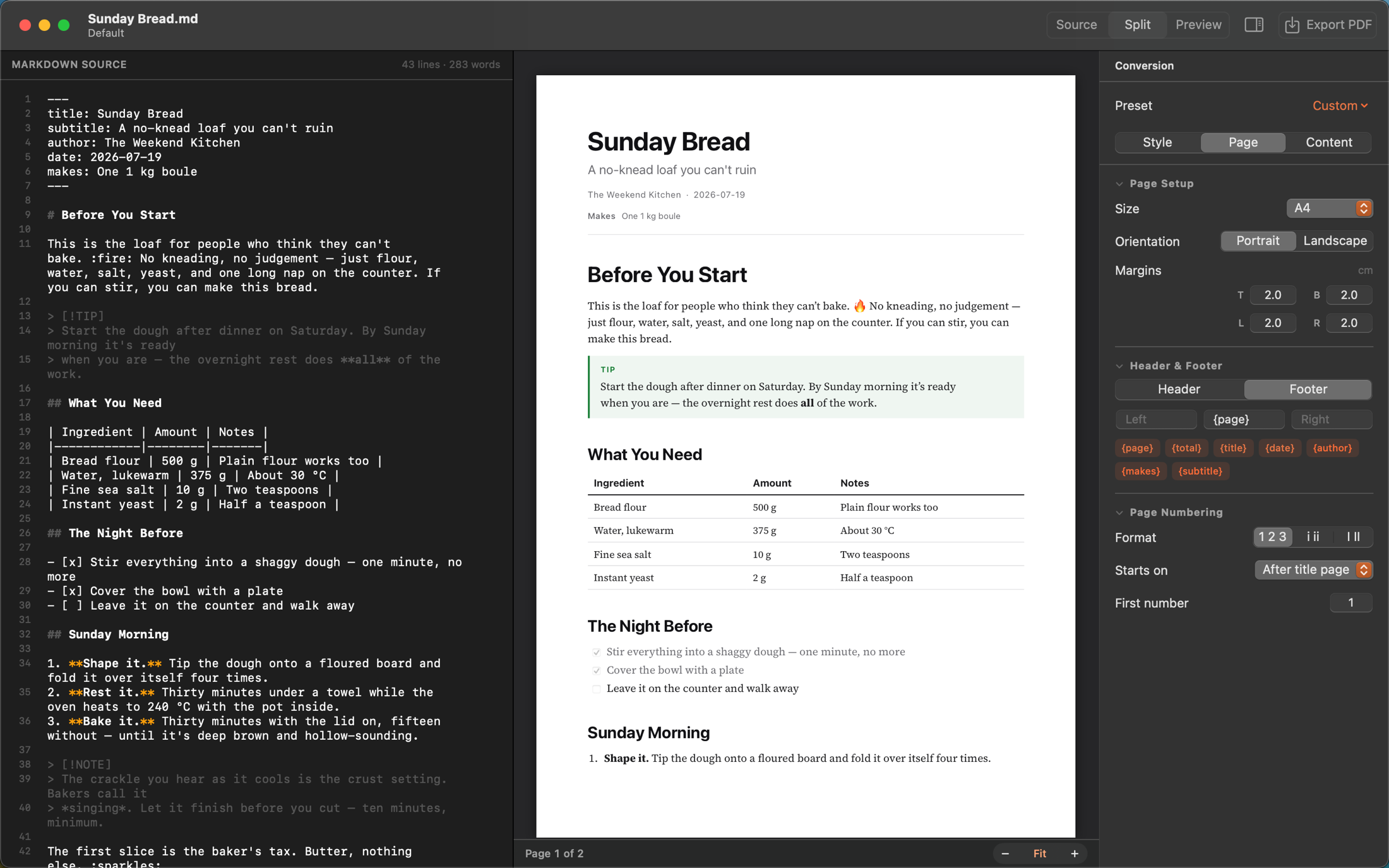
Vaelora turns your Markdown into perfectly paginated PDF — with a live preview that is the export, and CSS as the styling contract.
Free download · macOS 15 or later · Apple silicon & Intel
Write in Markdown, ship a PDF you're proud of. No print dialogs, no browser engines bolted on, no cloud round-trips.
See real pages as you type — with the exact breaks, margins, and headers your PDF will have. What you preview is what you export.
Vaelora measures your document before it writes a single page, so page numbers, outlines, and links always land exactly right.
Style documents with real CSS in portable .mdpdfstyle files. If you can style a web page, you can design a document.
A real Mac app built with SwiftUI. No Electron, no bundled Chrome, no external runtimes — fast, lightweight, and notarized by Apple.
CommonMark and GitHub-flavored Markdown — tables, task lists, footnotes, coloured code, and images you size and place from the Markdown — plus mathematics, callouts and tracked changes, with an automatic table of contents and PDF outline.
Save a style, page setup, and header/footer as a named preset — and reuse it across every document. One click, same polish.
No configuration maze. Open a file and you're already looking at the finished document.
Open any Markdown file — or start fresh. Headings look like headings and the syntax steps aside until your caret needs it, with a formatting bar for the parts nobody enjoys typing.
Pick a style from the library or tweak page size, margins, headers and footers in the inspector. The preview repaginates live.
Hit ⌘E. Vaelora renders a pixel-accurate PDF with clickable links, a navigable outline, and page numbers that never lie.
Every document's look lives in a portable .mdpdfstyle file — plain CSS you can edit, version, and share with your team.
Not a print-to-PDF afterthought. Vaelora builds real, structured documents.
One download, straight from us. No account, no store, no subscription.
Requires macOS 15 Sequoia or later · Apple silicon & Intel · Notarized by Apple
Review your AI can read.
Click in the margin, leave a note — or propose the words themselves as a tracked change. Both go into the Markdown itself, so the assistant working on the document can see them, answer them, and hand the file back.
{>> RS: is 12 months right? <<}in your source. In Word or Google Docs it lives in a layer a model cannot reach.{--12--}{++18++}in the file. Click a mark in the preview to take that change, drop it, or leave a comment and decide later.